Campaigns that read like messages, not blasts
Personalise every message with the contact's name and your own fields, add buttons or media, and schedule it. Sending is paced for you.
WhatsApp, with a whole team behind it.
Turn the WhatsApp your customers know into a sales team. Personal campaigns, thoughtful replies, and flows that keep business moving.
Behind the conversation
One connected customer journey.
A campaign starts the conversation. Your customer takes it from there.
A familiar number. A new beginning.
Link your number the way you link WhatsApp Web. No Meta approval, no new SIM, and your phone keeps working.
Import a spreadsheet, sort people into groups and check which numbers are on WhatsApp before you send.
Launch a campaign, then let flows, auto-replies and AI agents handle the answers.
One workspace. Every conversation.
Personalise every message with the contact's name and your own fields, add buttons or media, and schedule it. Sending is paced for you.
Give an agent your instructions and product knowledge. It answers, saves details, sends templates and hands the chat to a person when needed.
Answer keywords and button taps instantly, with business hours and a different reply when you are closed.
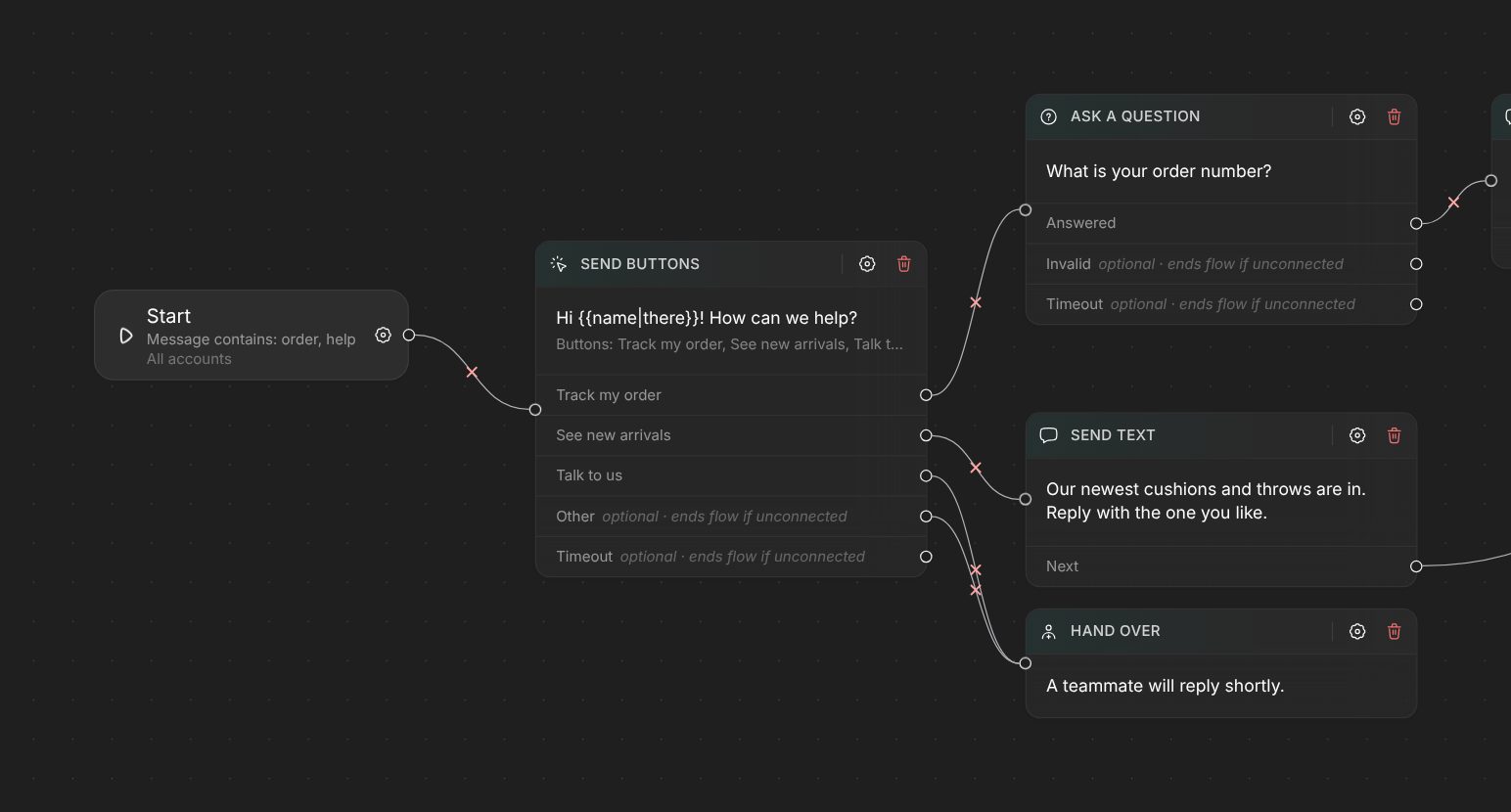
Questions, buttons, lists, conditions, waits, API calls and hand-overs on one canvas. Publish and it runs on the numbers you choose.
Post to every group and channel your numbers belong to, now or on a schedule.
When a customer calls and nobody picks up, they get a WhatsApp reply right away, so the lead does not go cold.
Made for the conversation
Every WhatsApp format, ready for your campaigns, auto-replies, and flows. Pick one. See it in action.
Give customers a clear way forward. Track an order, explore an offer, or send a quick reply with a tap.
Order updates · Offers · Quick repliesFind your planOrder confirmed
Your order #4821 ships tomorrow. We’ll keep you posted, right here.
A little something to look forward to.
An example of what your customer receives.
WhatsApp watches for robotic sending. These controls keep your campaigns at a human pace and your number in good standing.
Each message waits a random time inside the range you set.
Campaigns pause outside your hours, in the timezone you pick.
Cap how many messages a campaign sends per day.
Contacts see "typing…" for a moment before each message lands.
A STOP reply unsubscribes a contact from every group, and campaigns skip them.
Answers to customers jump ahead of queued campaign messages.
Business API tools suit very large senders who need Meta's verified badge. Wappiko is for businesses that want to start today, on their own number.
| Wappiko | Business API tools | |
|---|---|---|
| Getting started | Scan a QR code and start the same day | Meta business setup and display-name review first |
| Your number | The WhatsApp or WhatsApp Business number you already use | A number registered for the API |
| Marketing messages | Write any message, any time, in any format | Pre-approved templates outside the 24-hour reply window |
| Per-message fees | None from Meta, just your plan | Meta charges for template messages |
| Groups and channels | Post to the groups and channels your number is in | Not the focus of most API tools |
For agencies & resellers
Run your own WhatsApp platform. The whole product, under your name, ready for the clients who trust you.
Become a resellerMake yourself at home.
Every conversation. Every customer. All yours.
₹299.00
per month
14-day free trial
₹499.00
per month
14-day free trial
₹799.00
per month
14-day free trial
₹1,499.00
per month
Create accountNo. You link your number by scanning a QR code or typing a pairing code, the same way WhatsApp Web works. There is no Meta approval step.
Yes. Wappiko connects as a linked device, so your phone keeps working and you can still chat from the app.
WhatsApp restricts numbers that people report or block as spam, whichever tool sends the messages. Wappiko paces campaigns, keeps to your sending hours and daily limits, and honours unsubscribe replies. Message people who expect to hear from you and your number stays healthy.
Each plan sets its own limit. You can compare them under pricing.
Some plans include AI replies every month. You can also add your own key from OpenAI, Anthropic, Google Gemini, DeepSeek, Groq, Mistral, xAI or OpenRouter.
Yes. Plans with API access include a REST API, so your shop, CRM or booking system can send WhatsApp messages through your numbers.
Yes. Pick a plan with a trial and use it free for up to 14 days. You choose when to pay.
Yes. Resellers run the platform on their own domain with their own logo, colours and plans, and manage their customers from their own panel.
Connect your number and send your first campaign today. Free for 14 days.
Start free trial